
Choosing a WordPress theme feels like a design decision, but it works more like a foundation decision. The theme shapes how much control you have over layouts, how easy the site is to maintain, and how much time or money it costs when you want to change something later.
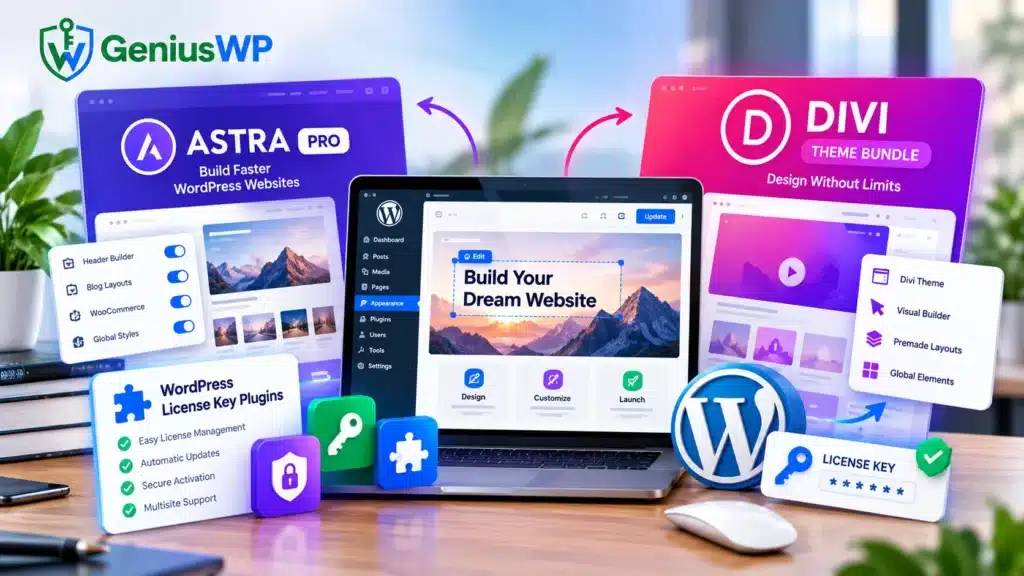
Astra Pro and Divi approach that foundation differently. Astra Pro extends the lightweight Astra theme with extra header, footer, layout, typography and WooCommerce controls, and it works with the WordPress block editor or a page builder you already like. Divi is a theme plus a visual builder: you design on the page itself, with global styles and a Theme Builder for the rest of the site.
A third category often shows up in the same searches: WordPress license key plugins. Despite the name, these are not themes and they do not unlock Astra Pro or Divi. They are tools for people who sell their own plugins or themes and need to issue, check and manage license keys.
Licensing deserves attention because, with premium products, your license usually decides whether you receive updates and support. This guide compares Astra Pro and Divi, explains what license key plugins actually do, and gives you a practical way to choose. Pricing and terms were checked against official vendor pages on October 9, 2026. They change, so confirm on the vendor’s site before you buy.
Quick answer: Choose Astra Pro if you want a lightweight theme with deep header, footer, layout and WooCommerce controls while building pages in the block editor or another builder. Choose Divi if you want to design visually inside one builder and need a single license for unlimited sites. Choose a license key plugin only if you sell software and need to manage keys.
What Is Astra Pro?
Astra Pro is the paid add-on for Astra, a WordPress theme made by Brainstorm Force. It is a plugin that extends the free Astra theme, so you install the free theme first (Astra installation docs) and then add Pro for extra layout, design and WooCommerce controls.
What Pro adds. Astra’s pricing page lists these among its Pro features:
- Header options such as sticky headers with scroll behaviors, a mega menu, and off-canvas or full-screen menus
- Layout controls including full-width, padded and fluid site layouts, custom page headers, custom footers and a custom 404 page
- Fuller typography, color, spacing and sidebar styling controls
- Blog features such as a masonry layout, read-time labels and an author info box
- WooCommerce features such as Ajax add-to-cart, quick view, distraction-free and two-step checkout, and product gallery options
Pro updates and premium support come with an active license.
Page builders and plugins. Astra states compatibility with the WordPress block editor (Gutenberg), Elementor, Beaver Builder, Divi Builder, Brizy, WPBakery and Thrive Architect, along with WooCommerce, Easy Digital Downloads, LearnDash, LifterLMS, WPML and popular SEO and caching plugins. These are vendor-stated claims, so test your own plugin mix on a staging site before launch.
Performance. Astra describes the free theme as fast and lightweight, and Pro includes a CSS file generation option aimed at speed. A site’s real speed still depends on hosting, caching, images and plugins, so measure your own build instead of relying on any theme’s marketing.
Best for: blogs, business sites, WooCommerce stores and course sites where you want a flexible theme layer and prefer to build pages in the block editor or a builder you already know.
Pricing snapshot (US dollars, checked October 9, 2026 on Astra’s pricing page):
| Plan | Annual price | Lifetime price | Website limit |
| Astra Pro (add-on only) | $69/year | $249 one-time | Up to 3 |
| Astra Pro + AI | $99 first year, renews at $149/year | $279 one-time | Up to 3 |
| Essential Toolkit + AI | $199 first year, renews at $299/year | $549 one-time | Up to 10 |
| Business Toolkit + AI | $279 first year, renews at $429/year | $799 one-time | Up to 1,000 |
Astra notes that first-year prices are introductory and that staging, local and development sites count toward the website limit. The “+ AI” plans add an AI site builder, hosted site(s) and a free domain for the first year; on lifetime plans the AI platform and hosting run for three years and then renew annually. Astra offers a 14-day money-back guarantee, and payments are processed by Paddle as merchant of record. The page does not state tax treatment, so check the checkout total.
Advantages
- Deep control over headers, footers, layouts, typography and WooCommerce pages
- Works with the block editor and several page builders, so you keep your preferred editing method
- Plans from a single add-on up to toolkits that bundle Spectra Pro, premium starter templates and Ultimate Addons for Elementor
- Lifetime options on every plan
Limitations
- Astra Pro is not a page builder itself; visual page design relies on the block editor, another builder, or Spectra Pro (a separate product included in the Toolkit plans)
- Website limits apply, and staging sites count
- Annual plans renew at a higher price after the first year
- Updates and support stop if an annual license lapses, although existing sites keep running
What Is the Divi Theme Bundle?
Divi is a WordPress theme and visual page builder from Elegant Themes. You design pages directly on the front end by dragging in elements and editing them in place, and a Theme Builder controls headers, footers and templates across the site. “Divi Theme Bundle” is a retail label rather than an official plan name: Elegant Themes sells Divi and Divi Pro memberships.
What the membership includes. According to the Elegant Themes pricing page, a membership covers Divi (theme and builder), the Extra magazine theme, and the Bloom and Monarch plugins, with use on unlimited websites. Divi Dash, a site manager for updates and maintenance, is included too. Divi Pro adds subscription services: Divi AI, Divi Cloud, Divi VIP support and four Divi Teams seats.
Design approach. Elegant Themes released Divi 5 officially in early 2026 after rebuilding it around performance and design systems. The Divi feature page describes global variables, class-based presets, CSS Flexbox and Grid layouts, seven default breakpoints you can customize, a Loop Builder for dynamic post, term and user layouts, and no-code interactions. Thousands of premade layouts and Quick Sites (premade or AI-generated starter sites) shorten the first build.
Reusable layouts and workflow. Global elements can sync selectively across a site, and Divi Cloud (part of Divi Pro) stores layouts, Theme Builder templates and code snippets so you can reuse them on new projects.
WooCommerce. Divi includes dedicated WooCommerce modules and Theme Builder templates for shop pages. If a store is central to your project, check Elegant Themes’ current documentation for which WooCommerce modules are native in Divi 5, because earlier 2026 announcements noted some ran in a compatibility mode while being converted.
Best for: agencies and freelancers building many sites, designers who want fine visual control, and small business owners who prefer editing visually instead of through settings panels.
Pricing snapshot (shown in dollars on the Elegant Themes pricing page, checked October 9, 2026):
| Plan | Price | Notes |
| Divi (yearly) | $89/year | Unlimited websites; includes Divi, Extra, Bloom, Monarch and Divi Dash |
| Divi Lifetime | $249 one-time | Unlimited websites; lifetime updates and support for the themes and plugins; no Pro services |
| Divi Pro (yearly) | $277/year | Adds Divi AI, Divi Cloud, Divi VIP and Divi Teams (four team members) |
| Divi Lifetime + Pro | $297 today, then $212/year for Pro services | Lifetime Divi plus annual Pro services you can cancel at any time |
Elegant Themes offers a 30-day money-back guarantee, and memberships do not include hosting. The page uses promotional framing (for example, “Save 69%”), so confirm the current price and currency at checkout.
Advantages
- One membership covers unlimited websites, including client sites
- Visual editing and a design system in a single tool
- 24/7 chat and email support is included with every license
- A lifetime option covers theme and plugin updates and support
Limitations
- The large feature set takes time to learn (an editorial observation, not a vendor claim)
- Third-party Divi Marketplace modules built for Divi 4 run through a backward-compatibility layer, and Elegant Themes says legacy modules keep Divi 4-level rendering performance, so check each extension you depend on
- Divi AI, Divi Cloud, Divi VIP and Divi Teams are annual or monthly subscriptions and are not covered by the lifetime plan
- If you cancel an annual membership, you can keep using downloaded versions but lose updates, support and members-area access
- Designs built in any page builder are tied to that builder, so consider how easily you could switch themes later
Astra Pro vs Divi: Key Differences
The core difference is workflow. Astra Pro is a theme add-on that gives you extensive design controls while you build pages in the WordPress editor or another builder. Divi is an all-in-one theme and visual builder. Licensing differs too: Astra Pro plans cap the number of sites, while Divi memberships allow unlimited sites.
| Factor | Astra Pro | Divi |
| Design approach | Lightweight theme plus a Pro add-on that expands header, footer, layout and typography controls | Theme with a built-in visual builder and Theme Builder for site-wide templates |
| Page-building workflow | Block editor or a compatible builder such as Elementor or Beaver Builder; Spectra Pro is a separate product in the Toolkit plans | Drag-and-drop editing on the page inside Divi’s own builder |
| Customization | Extended typography, color, spacing, layout, header and blog controls | Per-element styling, global variables, presets, Flexbox and Grid, customizable breakpoints |
| Ease of use | Familiar if you know the WordPress editor; settings-driven, with many options to explore | Visual editing is direct; the full feature set takes time to learn |
| Beginner-friendliness | Starter templates, documentation and 24/7 support listed by Astra | Premade layouts, Quick Sites and 24/7 chat and email support listed by Elegant Themes |
| Performance considerations | Vendor positions Astra as lightweight; Pro has a CSS file generation option; results depend on hosting and plugins | Divi 5 rebuilt with a performance focus (vendor claim); legacy third-party modules run in compatibility mode; results depend on hosting and caching |
| WooCommerce suitability | Pro adds Ajax add-to-cart, quick view, checkout options and shop layout controls | Dedicated WooCommerce modules and Theme Builder templates; confirm native Divi 5 module status |
| Licensing model | Annual or lifetime; site limits of 3, 10 or 1,000 by plan; staging counts toward the limit | Annual or lifetime; unlimited websites on every plan |
| Updates and support | Updates and premium support require an active license; 14-day refund window | Updates and support included with the membership; 30-day refund window; VIP support is part of Divi Pro |
| Best-fit users | People who want a lighter theme layer and a choice of editors, and WooCommerce or LMS sites that benefit from theme-level controls | Visual designers, agencies building many sites on one license, and users who want an all-in-one builder |
Neither product wins every row. If your priority is editing flexibility and a lean theme, Astra Pro fits. If your priority is visual design control and a per-site-free license, Divi fits. Budget, site count and your team’s habits should break the tie.
Comparing options? Explore WordPress Themes & Plugins on GeniusWP: [Astra Pro Product URL] · [Divi Theme Bundle Product URL] · [WordPress Themes & Plugins Category URL]. Read each product page to see exactly what is included before you buy.
What Are WordPress License Key Plugins?
A WordPress license key plugin is software that creates, delivers, validates and manages license keys, usually for people who sell plugins, themes or other digital downloads. It is not a premium theme, and installing one does not give you a valid Astra Pro or Divi license. Those licenses come from the vendors: Brainstorm Force for Astra and Elegant Themes for Divi.
The phrase covers three different things, and mixing them up is the most common source of confusion:
| Meaning | Who uses it | What it does | Gives you an Astra Pro or Divi license? |
| 1. Licensing and management plugins | Developers and digital-product sellers | Generate keys, set activation limits, validate and deactivate licenses, deliver updates | No |
| 2. Customer activation workflow | Buyers of a premium product | Enter the vendor’s key or account credentials in the product’s settings to enable updates and support | Only if you already hold a valid vendor license |
| 3. Vendor-supplied keys and activation | Anyone buying direct from the vendor | The key or account credentials issued with a purchase | Yes, this is the vendor’s own license |
1. Licensing plugins for sellers. Easy Digital Downloads’ Software Licensing documentation describes a typical flow: the buyer enters a key in the product’s settings, the product sends it to the seller’s store through an API for verification and activation, the product can check validity at any time (for example, to limit features to valid keys), and a key can be deactivated remotely. Other tools serve WooCommerce stores, such as Easy License Manager for WooCommerce, which describes key generation on purchase, an activation API, update delivery and gated downloads. These are examples, not endorsements. Feature sets differ, so check each product’s documentation for expiry handling, renewal logic and activation limits.
2. Customer-side activation. Buyers do not need a separate plugin for this. Astra Pro asks you to paste your license key under Astra > Dashboard, which enables automatic updates and premium support (Astra activation guide). Divi asks you to enter your Elegant Themes username and API key under Divi > Theme Options > Updates (Elegant Themes activation guide).
3. Vendor-supplied keys. Astra shows your key in your store account, and Elegant Themes issues API keys from your members area. Both are tied to your account and your plan.
If you sell your own software, choose a licensing tool that matches your store platform (WooCommerce or Easy Digital Downloads), supports the activation limits you want, can deliver updates, and documents a stable API. Test it on a staging site first. The WordPress Plugin Handbook is the official reference for building the plugin side of a licensing integration.
How to Choose the Right Option
The following are editorial recommendations, not vendor claims.
Bloggers and content publishers. Start with Astra Pro if you want blog layout controls (masonry grids, read-time labels, author boxes) while writing in the block editor. Elegant Themes also includes Extra, a magazine-style theme, in its membership, which suits editorial layouts built visually.
Business websites. Both work well. Astra Pro suits a clean brochure site built from starter templates and the block editor. Divi suits a custom-designed site where you want global design variables and visual control over every section.
WooCommerce stores. Astra Pro brings theme-level shop, product and checkout options, while Divi offers WooCommerce modules and Theme Builder templates. Build a staging copy, then test product pages, cart and checkout on mobile before committing.
Freelancers and agencies. Divi’s unlimited-site license makes costs predictable as your client list grows. Astra’s Essential (10 sites) and Business (1,000 sites) toolkits can also work, but count every staging and development site against the limit and compare the total yearly cost.
Users who want highly visual design control. Divi is built around this workflow.
Developers selling their own digital products. Neither theme is the answer. You need a license key plugin that matches your store platform, as described above.
Licensing, Updates, Security and Compatibility
A valid license usually unlocks updates and vendor support, not just permission to use software. Astra says activating a license enables automatic updates and premium support, and Elegant Themes says Divi updates require authenticating your account with a username and API key. Without that, you may miss security fixes and have nowhere to turn when something breaks.
What happens when a license lapses
Astra’s pricing FAQ says existing sites keep running if you do not renew, but plugin updates, support, AI features and included hosting stop. Elegant Themes says that after cancellation you can keep using the themes you downloaded but lose access to new updates, support and the members area. Either way, the site works, but it slowly falls behind.
Review the terms before you buy
Compare site limits, whether staging sites count, renewal prices after the first year, refund windows (14 days for Astra, 30 days for Divi), and what lifetime actually covers. For example, Astra’s lifetime plans include the AI platform and hosting for three years before they renew annually, and Divi’s lifetime plan excludes AI, Cloud, VIP and Teams.
GPL licensing is not the same as vendor support
WordPress is released under GPLv2 or later, and WordPress.org states that it considers plugins and themes derivative works that inherit the GPL. That describes how the code itself is licensed. It does not by itself mean a copy comes with the vendor’s official license key, updates, support or services. This guide is not legal advice, so read each product’s terms.
Why nulled or unauthorized copies are risky
“Nulled” themes and plugins are premium products modified to bypass license checks and shared outside the official vendor. Because the code has been altered by an unknown party, you cannot easily verify what else changed. Typical risks are hidden malicious code, no trustworthy updates, no vendor support, and breakage when the vendor ships a new release. Not every unofficial copy is malicious, but unverified code on a live site is a risk you can avoid.
Questions to ask any seller
- Does the listing say whether the purchase includes the vendor’s own license key, official updates and support?
- Who provides support, and for how long?
- Is the download the unmodified vendor release?
- What is the refund policy?
- Does the seller disclose its relationship, if any, to the vendor?
Explore with clear expectations. Browse WordPress Themes & Plugins on GeniusWP: [WordPress Themes & Plugins Category URL]. Each product page should state what is included, such as updates, support and any license key. [CONFIRM AND EDIT: describe GeniusWP’s actual terms for each product type here.]
Check compatibility and back up first
- Take a full backup of files and database, and confirm you can restore it.
- Clone the site to a staging environment and test changes there.
- Check the WordPress and PHP requirements of each product, and the vendor’s compatibility notes for your plugins (Elegant Themes states it cannot test every third-party plugin).
- Update one item at a time, then test forms, checkout, menus and mobile layouts.
- Keep a rollback path. Astra notes that an active license lets you roll Astra Pro back to a previous version.
Frequently Asked Questions
Is Astra Pro better than Divi?
Neither is better for every project. Astra Pro suits people who want a lightweight theme with detailed layout controls and a choice of editors. Divi suits people who want to design visually in one builder and need a license for unlimited sites. Decide based on your workflow, number of sites and budget.
Is Astra Pro suitable for WooCommerce?
Yes. Astra lists WooCommerce-specific Pro features, including Ajax add-to-cart, quick view, distraction-free and two-step checkout, and product gallery options. As with any store theme, test product pages, cart and checkout on a staging site with your own plugins before going live.
What is included in the Divi Theme Bundle?
“Divi Theme Bundle” is not an official Elegant Themes plan name. Elegant Themes memberships include Divi, Extra, Bloom and Monarch, plus Divi Dash, for unlimited websites. Divi Pro adds Divi AI, Divi Cloud, Divi VIP and Divi Teams. If a listing uses the bundle label, read it to see exactly what it contains.
Can beginners use Astra Pro and Divi?
Yes. Both vendors list starter templates or premade layouts, documentation and 24/7 support. Astra Pro feels familiar if you already know the WordPress editor. Divi’s visual editing is direct, but it has more features to learn. Many beginners start from a premade template in either one.
What is a WordPress license key plugin?
It is software that generates, delivers, validates and manages license keys, mainly for people who sell plugins, themes or other digital downloads. Typical features include activation limits, deactivation and update delivery. It is a seller’s tool, not a theme.
Does a license key plugin provide a premium theme license?
No. A license key plugin manages keys for products you sell. It does not grant rights to anyone else’s product. Astra Pro and Divi licenses come from Brainstorm Force and Elegant Themes respectively.
Why do theme and plugin updates matter?
Updates deliver bug fixes, compatibility with new WordPress, PHP and WooCommerce versions, and security patches. Outdated software is more likely to break or become a weak point. Updates and support usually depend on an active license, so check what happens to yours when it expires.
Can I use one license on multiple websites?
It depends on the vendor and plan. Elegant Themes allows unlimited websites on its Divi plans, including client sites. Astra limits websites by plan (3, 10 or 1,000), and staging, local and development sites count toward that limit.
How should I verify a theme or plugin license?
Find the key or API key in the vendor’s account area, enter it in the product’s settings (Astra > Dashboard for Astra Pro; Divi > Theme Options > Updates for Divi), then confirm the dashboard shows the license as active and update notices appear. Keep your invoice, and confirm the seller documents what the purchase includes.
What should I check before purchasing a premium WordPress product?
Review the vendor’s terms for the site limit, whether staging counts, renewal price, refund window, support and what “lifetime” covers. Confirm compatibility with your WordPress version, builder and plugins. If you are not buying directly from the vendor, ask whether the purchase includes the vendor’s license, official updates and support.
Conclusion
Astra Pro and Divi solve the same problem in different ways. Astra Pro adds depth to a lightweight theme and lets you keep your preferred editor. Divi bundles a visual builder and design system with an unlimited-site license. License key plugins belong to a separate category: they help sellers manage keys and will not give you a premium theme license.
A simple way to decide:
- Pick your workflow. Block editor or an existing builder points to Astra Pro. Visual design in one tool points to Divi.
- Count your sites, staging included. A handful of sites works with either. For many client sites, compare Divi’s unlimited license with the Astra Essential or Business toolkit totals.
- Consider the store. If you run WooCommerce, test both on a staging copy.
- Compare multi-year cost. Add renewals to the first-year price, or weigh the lifetime option against how long you will use the product.
- If you sell software, shortlist license key plugins that fit your store platform.
Whichever route you take, keep your license valid, back up before updating, and avoid nulled copies.
- Astra pricing: https://geniuswp.com/product/astra-pro-theme-with-license-key/
- Astra Pro license activation: https://wpastra.com/docs/activate-astra-pro-addon-license/
- Divi account and API key activation: https://geniuswp.com/product/divi-wordpress-theme-with-api-key/
- WordPress license: https://geniuswp.com/product/divi-full-bundle-with-api-key/