

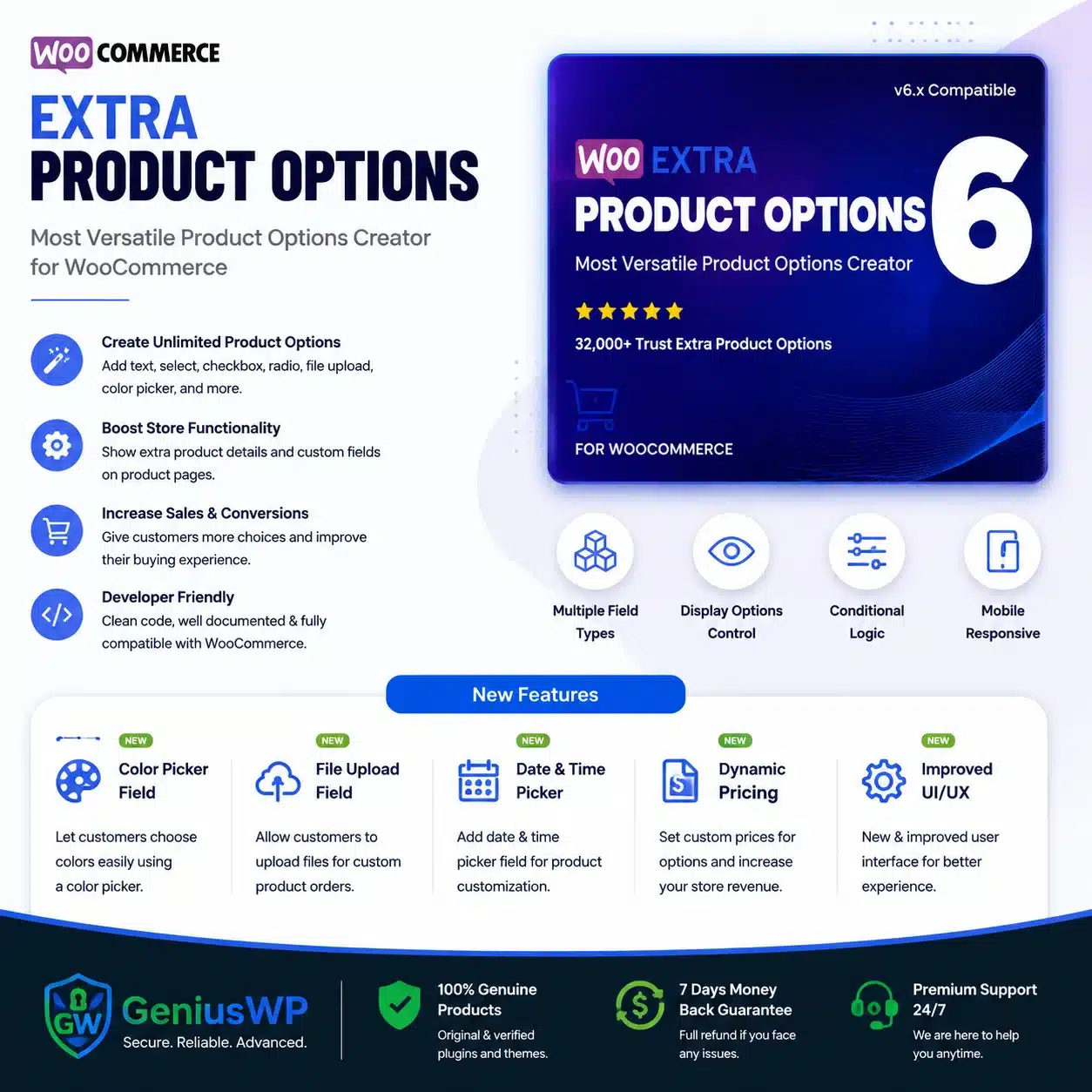

WooCommerce Extra Product Options: Sell Custom Products With Ease
WooCommerce Extra Product Options lets you add custom fields and paid add-ons to any product page. Ask for a name to engrave, offer gift wrap, sell extra toppings or let buyers upload a design, and charge for each choice automatically.
Prices are shown in your local currency at checkout.
What Is WooCommerce Extra Product Options?
Standard WooCommerce products only offer variations. Extra Product Options goes further: you can add as many fields as you need, each with its own price, and show them on one product, a category or the whole store.
Customers fill in the options before adding to cart, and every choice is saved in the cart, the order and the order emails. That means fewer messages asking for details and fewer mistakes when you fulfil the order.
Key Features of WooCommerce Extra Product Options
☑ Many field types
Checkboxes, radio buttons, dropdowns, text boxes, date pickers, colour pickers and file uploads.
💰 Price per option
Add a fixed or percentage extra charge to any choice, shown live as the customer selects it.
🔗 Conditional logic
Show or hide fields based on earlier answers to keep forms short and clear.
🌐 Global forms
Create one set of options and apply it to many products or whole categories.
📦 Saved in orders
Selected options appear in the cart, checkout, order screen and emails.
🎨 Styling controls
Match the option fields to your theme with layout and display settings.
Who Needs Extra Product Options?
- Gift and personalisation shops that sell engraving, names or custom messages.
- Food and bakery stores offering sizes, flavours and extra toppings.
- Print and merchandise sellers who need customers to upload artwork.
- Service businesses selling packages with optional extras.
License Options
Starter
Single Website
Business
10 Website
Agency
Unlimited Website
Prices are shown in your local currency.
How to Install WooCommerce Extra Product Options
Complete your order. The plugin ZIP and any license file appear in My Account → Downloads right away.
In WordPress, go to Plugins → Add New → Upload Plugin, choose the ZIP file and click Install Now.
Activate the plugin. If a license file is included, enter the key from it on the plugin’s license screen.
Create your first options form, assign it to a product and place a test order to see the options in the order details.
Why Buy WooCommerce Extra Product Options from GeniusWP?
Instant access
Files are ready in your account the moment payment is confirmed.
Setup support
Stuck on installation or activation? Our team helps on WhatsApp and email.
Safe payments
Pay through secure, trusted gateways in your own currency.
More tools
Browse more premium WooCommerce plugins for your next project.
WooCommerce Extra Product Options FAQ
What can I add with WooCommerce Extra Product Options?
You can add checkboxes, radio buttons, dropdowns, text fields, date pickers, colour pickers and file uploads, each with an optional extra price.
Can I use the same options on many products?
Yes. Create a global options form and apply it to selected products or entire categories.
Which license options are available?
You can choose Single Website, 10 Website or Unlimited Website. Prices are shown in your local currency at checkout.
How do I get the plugin after purchase?
The download is available instantly in My Account, Downloads, and in your order email as soon as your payment is confirmed.
Is GeniusWP the official developer of this product?
No. GeniusWP is an independent store and is not affiliated with the plugin developer. All trademarks belong to their respective owners.
How can I get help with installation or setup?
Message GeniusWP on WhatsApp at +91 9518978581 or email [email protected] and our team will guide you step by step.
You may also need
- WooCommerce Variation Swatches Pro – turn variation dropdowns into swatches
- Fancy Product Designer – let customers design products visually
- Checkout Field Editor for WooCommerce – customise checkout fields
- WooCommerce on WordPress.org – the free eCommerce plugin behind your store
Start selling custom products today
Instant download, secure checkout in your local currency and friendly setup help on WhatsApp.
Disclaimer: GeniusWP is an independent reseller and is not affiliated with the plugin developer. Product names and trademarks belong to their respective owners.





Reviews
There are no reviews yet.