


WooCommerce Wallet Plugin: Store Credit, Cashback and Faster Checkout
The WooCommerce Wallet Plugin adds a digital wallet to your store. Customers top up their balance, pay with one click, and receive cashback or refunds as wallet credit, which keeps the money inside your store and brings them back to shop again.
Prices are shown in your local currency at checkout.
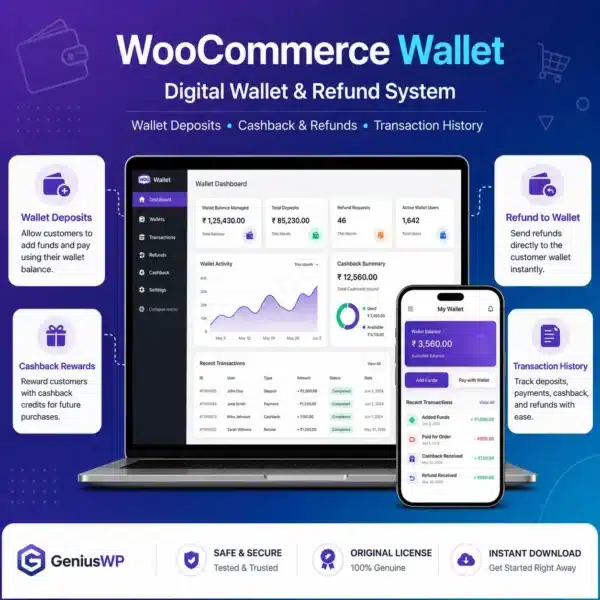
What Is the WooCommerce Wallet Plugin?
A wallet works like store credit. Customers add funds once and use the balance on future orders, so checkout is faster and repeat purchases become easier.
For store owners, the biggest benefit is retention. Instead of refunding cash, you can refund to the wallet, and cashback rewards encourage the next order. You can view and adjust every customer balance from the dashboard.
Key Features of the WooCommerce Wallet Plugin
💰 Wallet top-up
Customers add money to their wallet with your normal payment methods.
⚡ Pay with balance
Use wallet credit at checkout for a quicker payment.
🎁 Cashback rewards
Give cashback on orders to encourage repeat purchases.
↩ Refund to wallet
Send refunds as store credit instead of cash.
📈 Balance management
View, credit or debit customer wallets from the admin.
📋 Transaction history
Customers see every wallet transaction in My Account.
Who Needs a WooCommerce Wallet?
- Grocery and daily-needs stores with frequent repeat orders.
- Digital product shops offering credits and top-ups.
- Stores with many refunds that prefer store credit over cash.
- Loyalty-focused brands using cashback to grow repeat sales.
License Options
Starter
1 Website
1 year license
Agency
Unlimited Website
1 year license
Prices are shown in your local currency.
How to Install the WooCommerce Wallet Plugin
Complete your order. The plugin ZIP and any license file appear in My Account → Downloads right away.
In WordPress, go to Plugins → Add New → Upload Plugin, choose the ZIP file and click Install Now.
Activate the plugin. If a license file is included, enter the key from it on the plugin’s license screen.
Set your top-up limits and cashback rules, then test a wallet top-up and a wallet payment with a sample order.
Why Buy the WooCommerce Wallet Plugin from GeniusWP?
Instant access
Files are ready in your account the moment payment is confirmed.
Setup support
Stuck on installation or activation? Our team helps on WhatsApp and email.
Safe payments
Pay through secure, trusted gateways in your own currency.
More tools
Browse more premium WooCommerce plugins for your next project.
WooCommerce Wallet Plugin FAQ
How does the WooCommerce Wallet Plugin work?
Customers top up a wallet balance and use it to pay for orders. You can also add cashback and send refunds to the wallet.
Can I refund orders to the wallet?
Yes. Refunds can be credited to the customer wallet as store credit.
Which license options are available?
You can choose 1 Website (1 year license) or Unlimited Website (1 year license). Prices are shown in your local currency at checkout.
How do I get the plugin after purchase?
The download is available instantly in My Account, Downloads, and in your order email as soon as your payment is confirmed.
Is GeniusWP the official developer of this product?
No. GeniusWP is an independent store and is not affiliated with the plugin developer. All trademarks belong to their respective owners.
How can I get help with installation or setup?
Message GeniusWP on WhatsApp at +91 9518978581 or email [email protected] and our team will guide you step by step.
You may also need
- WooCommerce Refund and Exchange – manage refund requests
- WooCommerce Smart Coupons – offer gift cards and store credit coupons
- WooCommerce Subscriptions – sell recurring plans
- WooCommerce on WordPress.org – the free eCommerce plugin behind your store
Keep customers coming back
Instant download, secure checkout in your local currency and friendly setup help on WhatsApp.
Disclaimer: GeniusWP is an independent reseller and is not affiliated with the plugin developer. Product names and trademarks belong to their respective owners.






Reviews
There are no reviews yet.