


WPKit for Elementor: Extra Widgets and Tools for Your Page Builder
WPKit for Elementor is a premium Elementor addon. According to the plugin description, it adds advanced widgets, a parallax layer, a flexible panel and a global block module, plus WooCommerce and Easy Digital Downloads widgets.
- Advanced Elementor widgets and a parallax layer
- Global blocks you can reuse across pages
- Works with the free version of Elementor
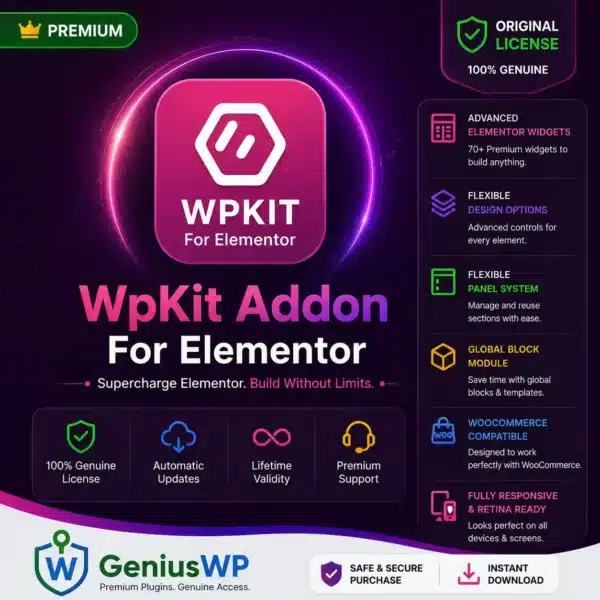
What Is WPKit for Elementor?
Elementor is a visual page builder for WordPress. Addons such as WPKit add extra widgets and tools so you can design richer pages without writing code. WPKit is described as working with the free version of Elementor, so Elementor Pro is not required.
WPKit Features
Advanced Widgets
Extra Elementor widgets to build more kinds of page sections.
Parallax Layer
Add depth to sections with a parallax layer effect.
Flexible Panel
A flexible panel option for showing extra content on your pages.
Global Block Module
Reuse the same block in many places and keep your design consistent.
WooCommerce Widgets
Product layouts, a cart button and a product search widget for your store.
Easy Digital Downloads
Compatible with Easy Digital Downloads for stores that sell digital products.
No Elementor Pro Needed
The plugin description says WPKit works with the free version of Elementor. Install and activate free Elementor first, then add WPKit.
Who Is WPKit For?
- Elementor users who want more widgets without upgrading to Elementor Pro.
- WooCommerce and Easy Digital Downloads store owners who want product layouts, cart buttons and search on their pages.
- Freelancers and agencies who build client sites with Elementor.
- Bloggers and small businesses who want more design options for landing pages.
How to Install WPKit for Elementor
- Back up your site. Take a full backup, or test on a staging copy first.
- Install free Elementor. Go to Plugins → Add New, search for Elementor, then install and activate it.
- Upload WPKit. Go to Plugins → Add New → Upload Plugin, choose the WPKit zip file from your download and click Install Now.
- Activate it. Click Activate Plugin.
- Start designing. Open any page in the Elementor editor and look for the new widgets in the Elementor panel.
Before You Buy
- WPKit is an addon for Elementor, so Elementor must be installed and active on your WordPress site.
- Check that your WordPress, PHP and Elementor versions are up to date before installing.
- GeniusWP is not affiliated with the plugin’s author. Plugin and brand names belong to their owners.
- Support from the plugin’s author is not included. For help with your purchase, contact GeniusWP support.
Need Help? Contact GeniusWP Support
Questions before or after your purchase? Email [email protected] or message GeniusWP on WhatsApp. You can also browse more Elementor plugins and addons, learn how to build a website with Elementor, or speed up your pages with our WordPress speed optimization service.
WPKit for Elementor FAQ
What is WPKit for Elementor?
WPKit for Elementor is a premium Elementor addon. According to the plugin description, it adds advanced widgets, a parallax layer, a flexible panel and a global block module, and it is compatible with WooCommerce and Easy Digital Downloads.
Do I need Elementor Pro to use WPKit?
No. The plugin description says WPKit works with the free version of Elementor, so Elementor Pro is not required. Elementor itself must be installed and active.
Does WPKit work with WooCommerce?
Yes. The plugin description lists WooCommerce compatibility, including product layouts, a cart button and a product search widget. WooCommerce must be installed separately.
How do I install WPKit for Elementor?
Back up your site, install and activate the free Elementor plugin, then go to Plugins, Add New, Upload Plugin, choose the WPKit zip file, install and activate it. The new widgets then appear in the Elementor editor panel.
Is this an official WPKit product?
No. GeniusWP is not affiliated with the plugin’s author, and plugin and brand names belong to their owners. Support from the plugin author is not included.
How can I contact GeniusWP support?
You can email [email protected] or message GeniusWP on WhatsApp at +91 9518978581.







Reviews
There are no reviews yet.