


Perfmatters Plugin: Remove the Bloat and Speed Up WordPress
The Perfmatters Plugin is a lightweight performance tool that removes the hidden bloat slowing your WordPress site down. Disable features you do not use, stop scripts loading on pages that do not need them and pass Core Web Vitals more easily.
Prices are shown in your local currency at checkout.
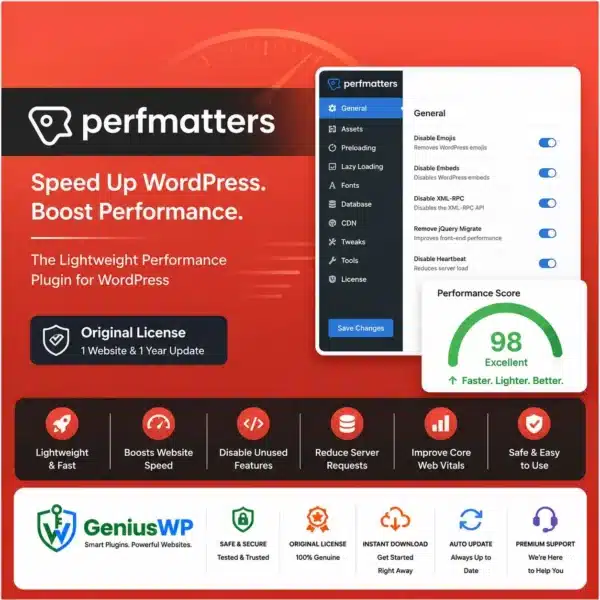
What Is the Perfmatters Plugin?
WordPress, themes and plugins load many things by default: emojis, embeds, dashicons, extra scripts and styles on every page. Each one adds requests and slows pages down. Perfmatters lets you turn off what you do not need with simple toggles.
Its Script Manager is the star feature. It shows every script and stylesheet on a page and lets you disable them per page, post type or site-wide. Combined with lazy loading, preloading and database cleanup, it pairs perfectly with a caching plugin.
Key Features of the Perfmatters Plugin
🛠 Script Manager
Disable scripts and styles on pages where they are not needed.
⚡ One-click tweaks
Turn off emojis, embeds, dashicons, XML-RPC and more.
🖼 Lazy loading
Delay images, iframes and videos until they are visible.
🔗 Preloading
Preload key fonts, images and pages for faster rendering.
📜 JavaScript delay
Delay non-critical scripts until user interaction.
🧹 Database cleanup
Remove revisions, drafts, spam and transients.
Who Should Use Perfmatters?
- Site owners chasing Core Web Vitals who need better scores.
- WooCommerce stores loading many plugin scripts.
- Agencies optimising client websites.
- Bloggers who want lean, fast pages.
License Options
Starter
1 Website
1 year update
Agency
Unlimited Website
1 year update
Prices are shown in your local currency.
How to Install the Perfmatters Plugin
Complete your order. The plugin ZIP and any license file appear in My Account → Downloads right away.
In WordPress, go to Plugins → Add New → Upload Plugin, choose the ZIP file and click Install Now.
Activate the plugin. If a license file is included, enter the key from it on the plugin’s license screen.
Turn on the safe recommended tweaks first, then use the Script Manager page by page and test your site after each change.
Why Buy the Perfmatters Plugin from GeniusWP?
Instant access
Files are ready in your account the moment payment is confirmed.
Setup support
Stuck on installation or activation? Our team helps on WhatsApp and email.
Safe payments
Pay through secure, trusted gateways in your own currency.
More tools
Browse more premium WordPress plugins for your next project.
Perfmatters Plugin FAQ
What does the Perfmatters Plugin do?
It improves WordPress speed by disabling unneeded features and scripts, adding lazy loading, preloading, script delay and database cleanup.
Can I use Perfmatters with a caching plugin?
Yes. Perfmatters is designed to work alongside caching plugins such as WP Rocket for the best results.
Which license options are available?
You can choose 1 Website (1 year update) or Unlimited Website (1 year update). Prices are shown in your local currency at checkout.
How do I get the plugin after purchase?
The download is available instantly in My Account, Downloads, and in your order email as soon as your payment is confirmed.
Is GeniusWP the official developer of this product?
No. GeniusWP is an independent store and is not affiliated with the plugin developer. All trademarks belong to their respective owners.
How can I get help with installation or setup?
Message GeniusWP on WhatsApp at +91 9518978581 or email [email protected] and our team will guide you step by step.
You may also need
- WP Rocket – add powerful page caching
- WP-Optimize Premium – compress images and clean the database
- WordPress Speed Optimization Service – let our team make your site faster
- Perfmatters official website – documentation and guides
Make your site lighter and faster
Instant download, secure checkout in your local currency and friendly setup help on WhatsApp.
Disclaimer: GeniusWP is an independent reseller and is not affiliated with the plugin developer. Product names and trademarks belong to their respective owners.







Reviews
There are no reviews yet.