


reCAPTCHA for WooCommerce: Stop Spam Bots and Fake Orders
reCAPTCHA for WooCommerce adds Google reCAPTCHA to the forms bots attack most: login, registration, checkout, lost password and product reviews. Block fake sign-ups and card-testing orders while real customers check out without friction.
Prices are shown in your local currency at checkout.
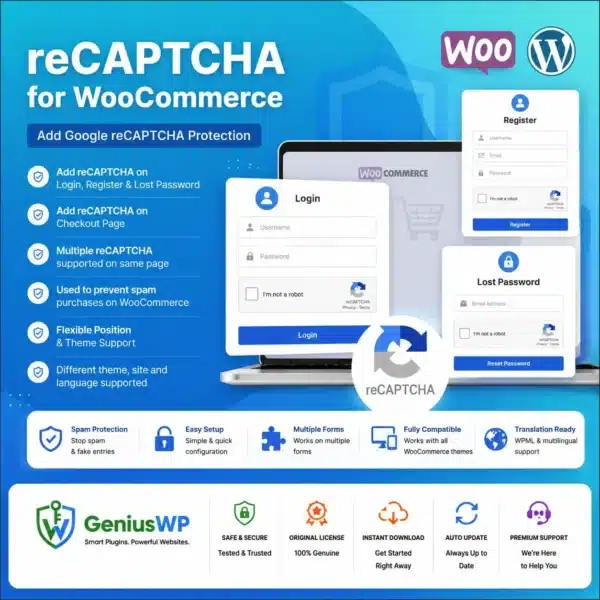
What Is reCAPTCHA for WooCommerce?
Online stores are a favourite target for bots. They create fake accounts, post spam reviews and run card-testing attacks through checkout, which can lead to chargebacks and payment gateway problems.
This plugin places Google reCAPTCHA on the WooCommerce forms you choose. You can use the checkbox or invisible versions, so genuine shoppers are barely interrupted while automated traffic is stopped before it reaches your orders.
Key Features of reCAPTCHA for WooCommerce
🔐 Login protection
Add reCAPTCHA to the My Account login form.
📝 Registration protection
Block fake customer sign-ups.
🛒 Checkout protection
Help stop card-testing and fake orders.
⭐ Review protection
Keep spam out of product reviews.
👁 Invisible option
Protect forms without extra clicks.
⚙ Form selection
Choose exactly which forms to protect.
Who Needs reCAPTCHA on WooCommerce?
- Store owners seeing fake accounts and spam.
- Shops hit by card testing through the checkout page.
- Stores with reviews that attract spam comments.
- Agencies securing client stores.
License Options
Starter
1 Website
1 year update
Agency
Unlimited Website
1 year update
Prices are shown in your local currency.
How to Install reCAPTCHA for WooCommerce
Complete your order. The plugin ZIP and any license file appear in My Account → Downloads right away.
In WordPress, go to Plugins → Add New → Upload Plugin, choose the ZIP file and click Install Now.
Activate the plugin. If a license file is included, enter the key from it on the plugin’s license screen.
Create reCAPTCHA keys in your Google account, paste them into the plugin settings and enable the forms you want to protect.
Why Buy reCAPTCHA for WooCommerce from GeniusWP?
Instant access
Files are ready in your account the moment payment is confirmed.
Setup support
Stuck on installation or activation? Our team helps on WhatsApp and email.
Safe payments
Pay through secure, trusted gateways in your own currency.
More tools
Browse more premium WooCommerce plugins for your next project.
reCAPTCHA for WooCommerce FAQ
Which forms does reCAPTCHA for WooCommerce protect?
It can protect login, registration, lost password, checkout and product review forms on your WooCommerce store.
Will reCAPTCHA slow down checkout for customers?
No. With the invisible option most real shoppers never see a challenge, while bots are blocked.
Which license options are available?
You can choose 1 Website (1 year update) or Unlimited Website (1 year update). Prices are shown in your local currency at checkout.
How do I get the plugin after purchase?
The download is available instantly in My Account, Downloads, and in your order email as soon as your payment is confirmed.
Is GeniusWP the official developer of this product?
No. GeniusWP is an independent store and is not affiliated with the plugin developer. All trademarks belong to their respective owners.
How can I get help with installation or setup?
Message GeniusWP on WhatsApp at +91 9518978581 or email [email protected] and our team will guide you step by step.
You may also need
- Wordfence Premium – a full firewall for your store
- WooCommerce Social Login – faster, safer customer sign-in
- Checkout Field Editor – customise checkout fields
- Google reCAPTCHA documentation – create keys and learn how it works
Keep bots out of your store
Instant download, secure checkout in your local currency and friendly setup help on WhatsApp.
Disclaimer: GeniusWP is an independent reseller and is not affiliated with the plugin developer. Product names and trademarks belong to their respective owners.






Reviews
There are no reviews yet.