


WooMail WooCommerce Email Customizer: Branded Order Emails in Minutes
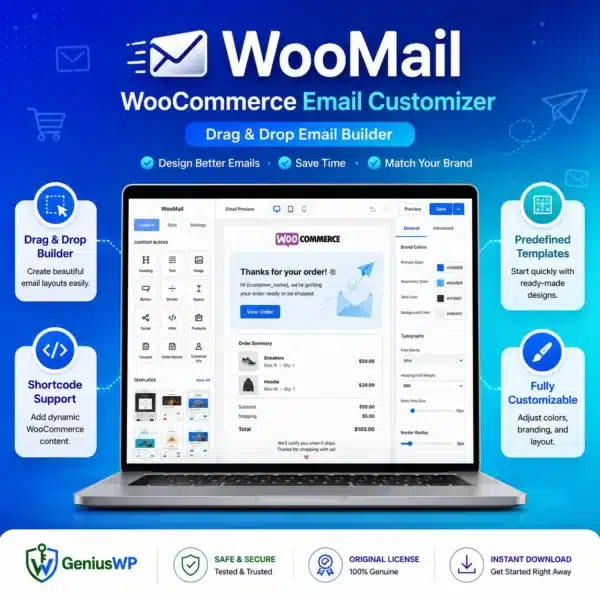
WooMail WooCommerce Email Customizer replaces the plain default WooCommerce emails with professional, branded designs. Drag in your logo, colours, text and buttons and see a live preview before a single customer receives it.
Prices are shown in your local currency at checkout.
What Is WooMail WooCommerce Email Customizer?
Every order sends emails: new order, processing, completed, refunded and more. With default WooCommerce, changing how they look means editing template files. WooMail gives you a visual builder instead.
You design each email by dragging elements such as text, images, buttons, order tables and social links. Dynamic tags insert the customer name, order number and other details automatically, so each email is personal.
Key Features of WooMail WooCommerce Email Customizer
🧩 Drag-and-drop builder
Build emails visually with text, images, buttons, dividers and columns.
👁 Live preview
See exactly how the email looks with real order data before saving.
🎨 Brand styling
Use your logo, colours and fonts so every email matches your store.
🏷 Dynamic shortcodes
Insert customer names, order details and links automatically.
📧 All order emails
Customise new order, processing, completed, refund and account emails.
📋 Ready templates
Start from pre-made designs and adjust them to your brand.
Who Should Use WooMail?
- Brand-focused stores that want every touchpoint to look professional.
- Stores selling repeat products that use emails to bring customers back.
- Agencies building polished WooCommerce stores for clients.
- Store owners without coding skills who want to edit emails themselves.
How to Install WooMail WooCommerce Email Customizer
Complete your order. The plugin ZIP and any license file appear in My Account → Downloads right away.
In WordPress, go to Plugins → Add New → Upload Plugin, choose the ZIP file and click Install Now.
Activate the plugin. If a license file is included, enter the key from it on the plugin’s license screen.
Open the email customizer, pick a template, add your branding and send a test email to yourself.
Why Buy WooMail WooCommerce Email Customizer from GeniusWP?
Instant access
Files are ready in your account the moment payment is confirmed.
Setup support
Stuck on installation or activation? Our team helps on WhatsApp and email.
Safe payments
Pay through secure, trusted gateways in your own currency.
More tools
Browse more premium WooCommerce plugins for your next project.
WooMail WooCommerce Email Customizer FAQ
Which emails can I edit with WooMail WooCommerce Email Customizer?
You can customise the standard WooCommerce emails, including new order, processing, completed, refunded and customer account emails.
Do I need coding skills to use it?
No. The drag-and-drop builder and live preview let you design emails without editing template files.
How do I get the plugin after purchase?
The download is available instantly in My Account, Downloads, and in your order email as soon as your payment is confirmed.
Is GeniusWP the official developer of this product?
No. GeniusWP is an independent store and is not affiliated with the plugin developer. All trademarks belong to their respective owners.
How can I get help with installation or setup?
Message GeniusWP on WhatsApp at +91 9518978581 or email [email protected] and our team will guide you step by step.
You may also need
- AutomateWoo – send automated follow-up emails
- Mailster Newsletter Plugin – run email newsletters from WordPress
- WooCommerce Smart Coupons – add coupons to your emails
- WooCommerce on WordPress.org – the free eCommerce plugin behind your store
Make every order email look professional
Instant download, secure checkout in your local currency and friendly setup help on WhatsApp.
Disclaimer: GeniusWP is an independent reseller and is not affiliated with the plugin developer. Product names and trademarks belong to their respective owners.






Reviews
There are no reviews yet.